Keep your worlds separate.
Send work links to your work profile and personal links to your own space. Chrome, Edge and Firefox profiles are discovered automatically.
 Browser Chooser
Made for Windows 11 · x64
One default browser is not enough. Open each link in the browser, and the profile, that makes sense for you.
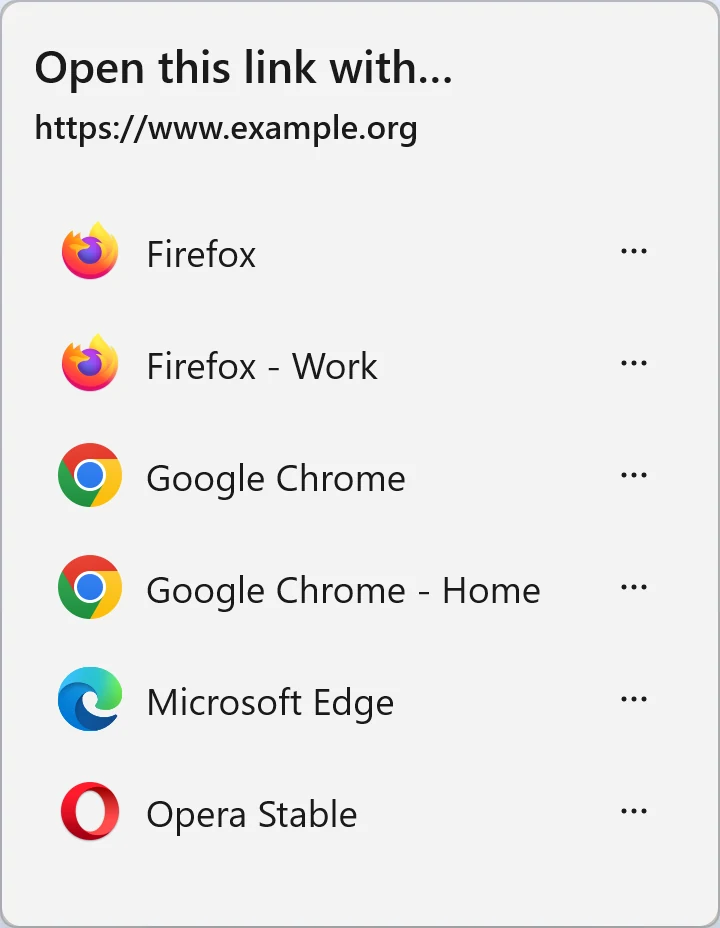
Use your installed browsers. Chrome, Edge and Firefox profiles appear as separate choices.
Try a route below. This website demo illustrates choices you can configure in the app; it does not open a browser or change your settings.
Interactive illustrationSelected destination: Firefox · Work
A small utility for the moments between clicking a link and landing in the right place.
Send work links to your work profile and personal links to your own space. Chrome, Edge and Firefox profiles are discovered automatically.
In ask-every-time mode, remember a website and open its next links directly in your chosen browser. Manage or remove those choices whenever you like.

Choose browsers separately for PDF, HTML, SVG and more. Assign the file types in Windows default apps; rendering support depends on the browser.

Local by design
No link history, no uploaded usage data. Your browser choices stay on this device. Browser Chooser does not read your passwords, cookies or browsing history.
Windows 11 · x64
Open the Microsoft Store listing to check availability and install on Windows 11 x64.
In Windows default apps, confirm Browser Chooser for both HTTP and HTTPS. Your settings only change with your confirmation.
Choose each time, remember a website, or set a fixed browser. File associations are optional and need separate confirmation in Windows.
No. Browser Chooser forwards links and supported local files to browsers already installed on your PC. It does not render web pages.
The current release targets Windows 11 x64. macOS, Windows 10 and ARM64 support are not advertised or verified here.
Pending links stay in memory. Saved preferences contain website hostnames or file extensions and browser identifiers, not full URLs or file paths. The app does not upload usage data. This website uses no analytics, cookies or external fonts; the hosting provider may keep normal access logs.
No. Private-window mode is provided by the target browser and is subject to its policies. It does not make you anonymous online.
This website has 20 languages. The app currently supports English, Simplified Chinese, Traditional Chinese, Japanese, Korean, French, German, Spanish, Brazilian Portuguese and Russian. Screenshots are from the English or Chinese app.
No. You confirm HTTP, HTTPS and any optional file associations in Windows. Startup is optional, and the app does not need administrator rights for everyday use.
Keep your browsers. Take back the choice.
View on Microsoft StoreAvailability and pricing are shown in Microsoft Store.